Wallet - Digital Cards & IDs
Crady AppsFinance
4.424.00 Reviews
- Version
- 1.0.9
- Installs
- 100.00K
- Age Rating
- Everyone
Screenshots
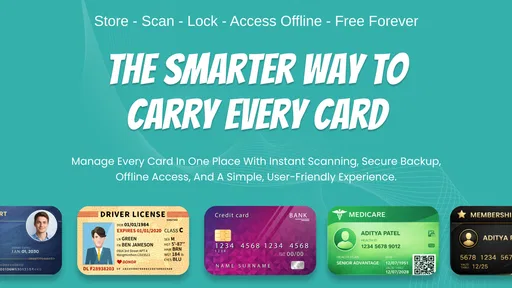
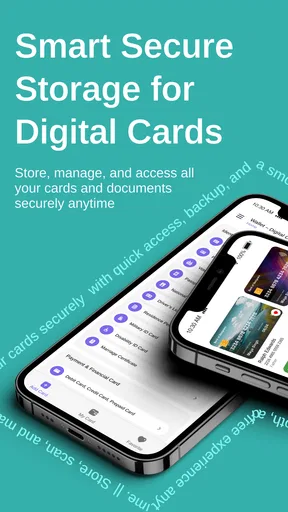
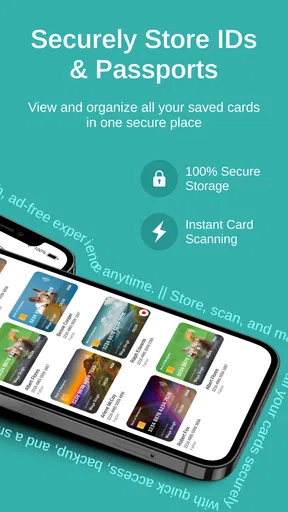
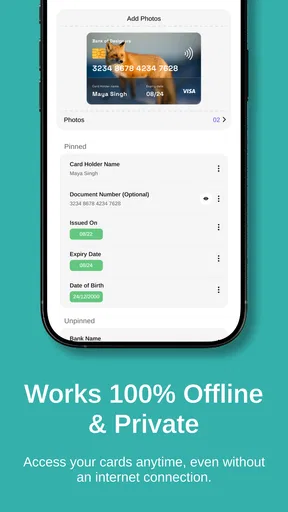
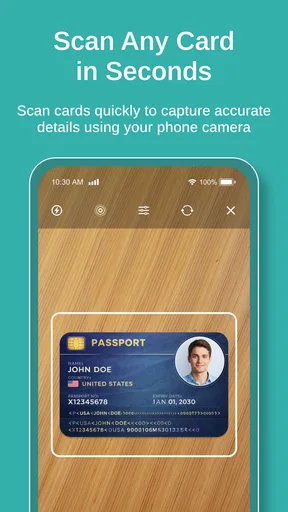
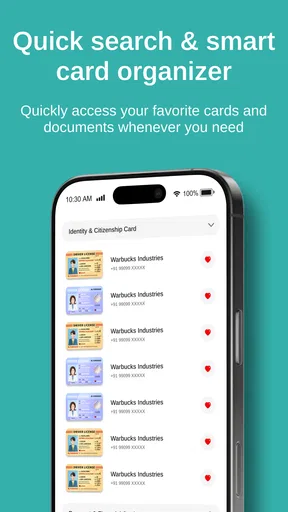
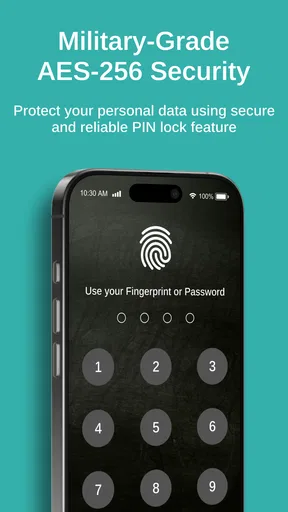
Our Review of Wallet - Digital Cards & IDs
 Analysis by Appyee
I tried Wallet - Digital Cards & IDs with a practical question in mind: would it still deserve a place on my phone after the first week of curiosity? Finance apps often feel useful during setup, then become another icon I forget. This one has a more grounded purpose. It brings identity items, payment cards, loyalty cards, passports, and other documents into one digital wallet, so its value depends less on entertainment and more on whether it removes small points of friction from ordinary errands and travel.
My first impression was that the idea is easy to understand. Instead of searching through a physical wallet, a gallery folder, email attachments, or a document sleeve, I can use one app as a central reference point. That does not make every card or document digitally valid everywhere, of course, but it can make the information easier to reach. For me, that distinction is important: this is primarily an organization tool, not a universal replacement for every original document.
From first-week appeal to everyday usefulness
The strongest part of the first week is the immediate sense of order. I can imagine opening the app before leaving home and checking that the items I may need are together. A loyalty card for a supermarket, an identification document, a passport record, and a credit card reference all belong to different parts of daily life, yet they are commonly scattered across a physical wallet, separate apps, and saved images. Putting them under one roof gives the app a clear reason to exist.
The setup also encourages a useful review of what I actually carry. A physical wallet tends to accumulate expired cards, old membership details, and papers that have not been relevant for months. A digital wallet makes that clutter more visible because I have to decide what deserves a place. That small cleanup is one of the less obvious benefits of the app: it can turn a vague pile of cards into a deliberate collection.
Wallet - Digital Cards & IDs is a free finance app from Crady Apps, and its broad audience is reflected in its Everyone age rating. It runs on Android versions starting with 7.0, which makes it accessible to people using older devices rather than limiting the experience to recent phones. The current version is 1.0.9, and I would keep the app updated because a wallet containing sensitive personal material should not be treated like a disposable utility.
The first-week appeal is especially strong for someone who carries many loyalty cards. I have often reached a checkout and realized that the card I need is hidden behind another one, saved in a second application, or left at home. A single place for those cards can shorten that search. The benefit is modest each time, but it appears repeatedly, which is exactly the kind of small convenience that can support a lasting habit.
There is a useful travel angle too. Before a trip, I could gather the documents and card references I expect to need, then check the collection rather than rummaging through drawers. This is not the same as having official digital credentials accepted by an airline, border officer, hotel, or government service. I would still carry the required originals. The app is most helpful as an organized backup and quick reference, not as permission to leave essential documents behind.
Where one wallet is genuinely better than scattered storage
The comparison with usual alternatives is revealing. A physical wallet is dependable and widely accepted, but it becomes bulky and offers no quick search or tidy separation. A phone gallery is convenient for saved images, yet documents can disappear among screenshots and personal photos. Individual loyalty apps may offer rewards or account functions that a general wallet cannot replace, but they also force me to remember which brand uses which application.
This app sits between those options. It is more focused than a photo gallery and less fragmented than a collection of brand-specific apps. Its advantage is not that it magically improves every card; its advantage is that it gives me one mental starting point. When I ask myself, “Where did I put that?” the answer can become much simpler.
There is also a trade-off. A specialized banking or payment app may provide live account information, transaction controls, or bank-specific protections that a general wallet is not designed to provide. Likewise, an official government application may be the better choice when a digital identity has legal or institutional recognition. I would use this app alongside those services, not assume it replaces them.
One practical habit makes the first setup more useful: I would organize items by how often I need them, not by the order in which I discover them. Daily cards should be easy to reach, while travel documents can stay grouped for occasional use. I would also label items clearly instead of relying on visual memory. That sounds basic, but clear naming matters when I am in a queue, under time pressure, or using a small screen.
What remains valuable after the novelty fades
After the initial cleanup, the app has to earn its space through recurring moments. Loyalty cards are the clearest example because they appear in repeated shopping routines. A document reference may be used less often, but it can be valuable precisely when I do not want to search through several storage locations. Credit card organization can also help me remember which card is associated with a particular purpose, although I would remain careful about what I store and how I expose it in public.
The month-to-month value therefore depends on repetition. If I regularly shop at places that use loyalty cards, travel, manage several forms of identification, or need quick access to document details, the app has a reasonable chance of becoming part of my routine. If I rarely use cards beyond one payment method and keep important documents in a secure physical location, the benefit may be too small to justify another app.
I like that the concept supports both frequent and occasional use. A daily loyalty card creates habit, while a passport or document collection provides reassurance before travel or an administrative appointment. These are different kinds of value. One saves a few seconds often; the other reduces the stress of preparing for an important situation.
A realistic example would be a Saturday shopping trip followed by an appointment. At the store, I open the wallet to reach a loyalty card instead of searching through a crowded physical wallet. Later, before the appointment, I check the document section to make sure I have the relevant information available. I still bring any original identification required, but I no longer need to search several places just to confirm what I should take.
That workflow also exposes the app’s limits honestly. If the store requires a particular official app, barcode behavior, or account login, a general wallet may not provide the full experience. If the appointment requires an original document, a stored digital copy is not enough. The recurring value comes from preparation and access, not from bypassing the rules of the organization I am dealing with.
The app has attracted an average rating of 4.4 from around 1.5 thousand ratings, with over 100 thousand installs. Those figures suggest that the basic idea resonates with a meaningful group of users, but they do not decide whether it belongs on my own phone. A wallet is personal: the right test is whether I open it repeatedly for real tasks, not whether its download count looks impressive.
The maintenance work that decides whether it lasts
Digital organization is never completely automatic. Cards expire, loyalty accounts change, passports are renewed, and documents move between active and archived status. If I add everything once and never review it, the app can become a polished version of the clutter it was meant to solve. The maintenance burden is not necessarily large, but it is unavoidable.
I would schedule a quick review whenever a physical card changes. That means removing an expired item rather than leaving it beside the replacement, checking that names are recognizable, and separating current documents from older references. This is one of the most important long-term habits because outdated information can be worse than no information when I am rushing.
I would also avoid treating the wallet as a dumping ground. Adding every receipt, temporary pass, and random screenshot may feel efficient at first, but it weakens the app’s main advantage. A focused collection is faster to use than a complete archive. For temporary items, I would decide in advance when they should be removed, especially after a trip or an event.
Security requires the same discipline. I would be selective about sensitive material, avoid storing more detail than I need, and keep my phone protected with the device’s own security controls. I would not assume that placing a document inside an app automatically makes it safe in every situation. The convenience of having everything together must be balanced against the risk of making one device a concentrated source of personal information.
That concentration is both the app’s strength and its central responsibility. A scattered collection is harder to use, but a single collection deserves more care. I would be particularly cautious when showing a card or document in public, and I would close the app rather than leaving sensitive information visible. These are simple behaviors, yet they determine whether convenience remains comfortable over time.
Where fatigue can creep into the routine
The first source of fatigue is duplication. If I already have a reliable banking app, several loyalty applications, a password manager, and an official identity service, Wallet - Digital Cards & IDs can feel like one more layer. Its usefulness depends on whether consolidation is worth the extra step. If I must open another app to complete the actual transaction anyway, the wallet may only be acting as a reminder or storage shelf.
The second is uncertainty at the point of use. A digital copy may look ready, but the cashier, airline, office, or official may require a specific format or an original. I would not want to discover that distinction while standing at a counter. The sensible approach is to learn the requirements of places I visit often and keep a physical fallback for anything important.
There can also be a mental cost to keeping a large collection current. Every added card creates a future decision: is it still active, is the information current, and does it still deserve space? People who enjoy tidy digital systems may find that satisfying. People who dislike maintenance may eventually stop trusting the collection and return to a physical wallet or a small number of official apps.
Another consideration is habit formation. A wallet app earns lasting value only if I remember to use it at the right moment. If I continue reaching for a physical wallet out of muscle memory, the installation changes very little. I would start with a narrow purpose, such as loyalty cards, rather than importing everything at once. Once that routine feels natural, I could decide whether documents and other categories genuinely improve my day.
For someone who wants advanced financial management, this is probably not the best primary choice. The app belongs to the organization side of finance, not the budgeting, investing, or account-analysis side. A banking application is better for checking balances and controlling payments; a dedicated budgeting tool is better for spending patterns. This wallet is more suitable for reducing physical and digital clutter around cards and documents.
Who should keep it installed
I would recommend it to people who carry several loyalty cards, travel often enough to manage passports and documents, or want a single place to check what they need before leaving home. It is also a sensible option for someone moving away from a crowded physical wallet without pretending that every official credential can be replaced immediately.
I would be more cautious about recommending it to someone who stores very little, uses one bank and one payment card, or already has an official ecosystem that handles every relevant item cleanly. In that situation, the app may introduce duplication rather than remove it. The same applies to anyone unwilling to review old cards and documents. A neglected wallet is not a reliable wallet.
The free price lowers the barrier to trying it, and the broad device support makes that trial practical for many Android users. Still, free does not mean costless in the broader sense. The real investment is attention: choosing what belongs there, keeping it current, and learning which situations still require the original card or document.
My long-term verdict
After the novelty fades, Wallet - Digital Cards & IDs has a believable reason to remain installed, but only for users whose daily lives contain enough cards and documents to justify a central organizer. Its lasting strength is not a flashy feature; it is the repeated relief of knowing where a relevant item is. That kind of value is quiet, but it can be durable.
I see it as a companion to physical documents, banking apps, and official services rather than a replacement for them. Used that way, it can make shopping, travel preparation, and document organization less scattered. Used as a promise that a digital copy will always be accepted, it could create uncomfortable surprises.
Crady Apps has built a straightforward finance utility around a problem many people recognize: important cards and documents are easy to misplace across different places. The app earns lasting space when I keep the collection focused and review it occasionally. My recommendation is therefore positive but practical: try it if consolidation solves a real problem for you, start with the cards you use most, and keep the original documents and official apps available whenever the situation demands them.
Verdict
Strengths of Wallet - Digital Cards & IDs
- Stores loyalty cards, tickets, IDs, and passes in one convenient place.
- Quick access to digital cards without carrying a bulky physical wallet.
- Barcode and QR code scanning makes adding cards simple.
- Useful organization tools help keep different passes easy to find.
- Can reduce paper waste by replacing many printed cards and tickets.
Limitations of Wallet - Digital Cards & IDs
- Compatibility with certain IDs and passes varies by country and provider.
- Some merchants may still require physical cards or official identification.
- A dead phone battery can leave stored cards and passes inaccessible.
- Privacy concerns may arise when keeping sensitive IDs on a smartphone.
- Features and supported card types may differ between Android and iOS.
Similar Picks in This Category
View All
Google Wallet
Google LLC4.3

Airtel: Recharge, Bank & Loans
Airtel4.0

PayPal - Pay, Send, Save
PayPal Mobile4.2

DANA Indonesia Digital Wallet
PT Espay Debit Indonesia Koe4.5

Binance: Buy Bitcoin & Crypto
Binance Inc.4.8

Cash App
Block, Inc.4.7
Frequently Asked Questions
What is Wallet - Digital Cards & IDs used for?
Wallet - Digital Cards & IDs is designed to keep digital versions of cards and identification documents in one convenient place. Depending on the supported formats and your device, you may be able to store loyalty cards, membership cards, tickets, passes, and selected IDs. It helps reduce the need to carry physical cards, although it should not automatically be considered a replacement for official documents everywhere.
Is Wallet - Digital Cards & IDs secure enough for personal information?
The app may contain sensitive information, so security should be a priority before adding documents or cards. Protection can depend on your phone’s screen lock, biometric authentication, encryption, and the app’s own privacy features. Review the permissions and privacy policy carefully, keep your operating system updated, and avoid storing highly sensitive documents unless you understand how the app protects and handles your data.
Can I use the stored digital cards and IDs everywhere?
Not necessarily. Digital card support varies by retailer, organization, country, document type, and the technology used by the app. Loyalty cards and barcodes are often easier to use than official identification documents, which may require government approval or specific verification systems. Before relying on the app for travel, banking, age checks, or formal identification, confirm that the relevant organization accepts its digital format.
Does Wallet - Digital Cards & IDs work without an internet connection?
Some stored cards, barcodes, or passes may remain available offline once they have been saved, which can be useful in shops, airports, or areas with poor reception. However, certain documents may require an internet connection for synchronization, verification, updates, or security checks. It is sensible to open important passes before leaving home and keep physical alternatives for situations where offline access is unavailable.
What should I check before downloading Wallet - Digital Cards & IDs?
Before installing the app, check whether it supports your phone model, operating system, country, and the specific cards or IDs you want to add. Also review its permissions, subscription or in-app purchase terms, backup options, export or removal features, and recent user feedback. Confirm how your data is stored and whether deleting the app removes information from the device or from associated online accounts.
